
We’ve recently built a system replacing the Cognito forms on a custom CRM.
The main purpose was to reduce data copying between the completed Cognito forms and the job files on the CRM.
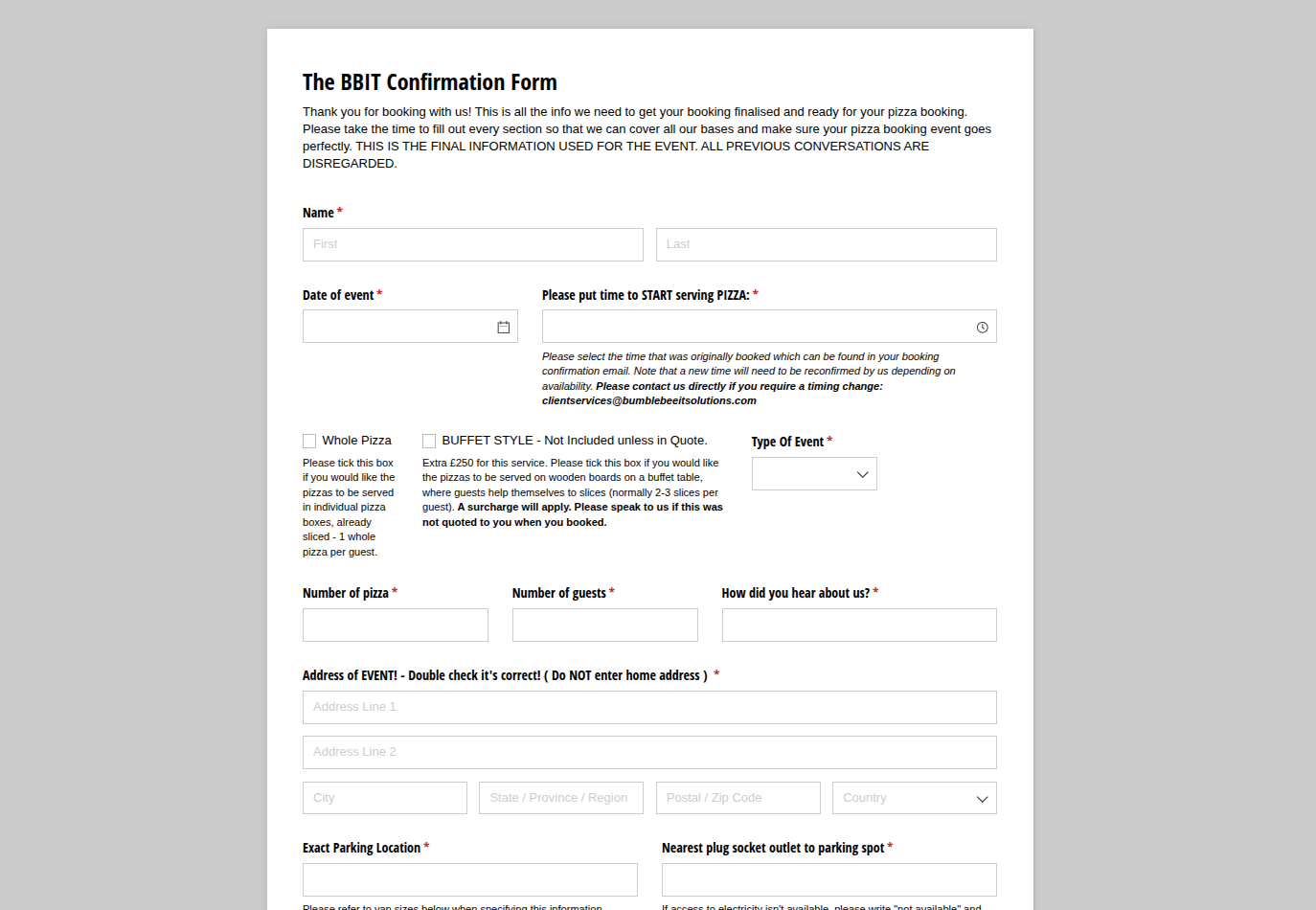
Previously, the booking flow would be as follows: Jobs would be booked on the CRM, and then the client services personnel would ask the client to complete the Cognito form confirming final details. The Cognito forms are a separate independent software which does not talk to the CRM. Due to this, the client services staff would then have to copy details back from the completed Cognito form to the job file on the CRM.
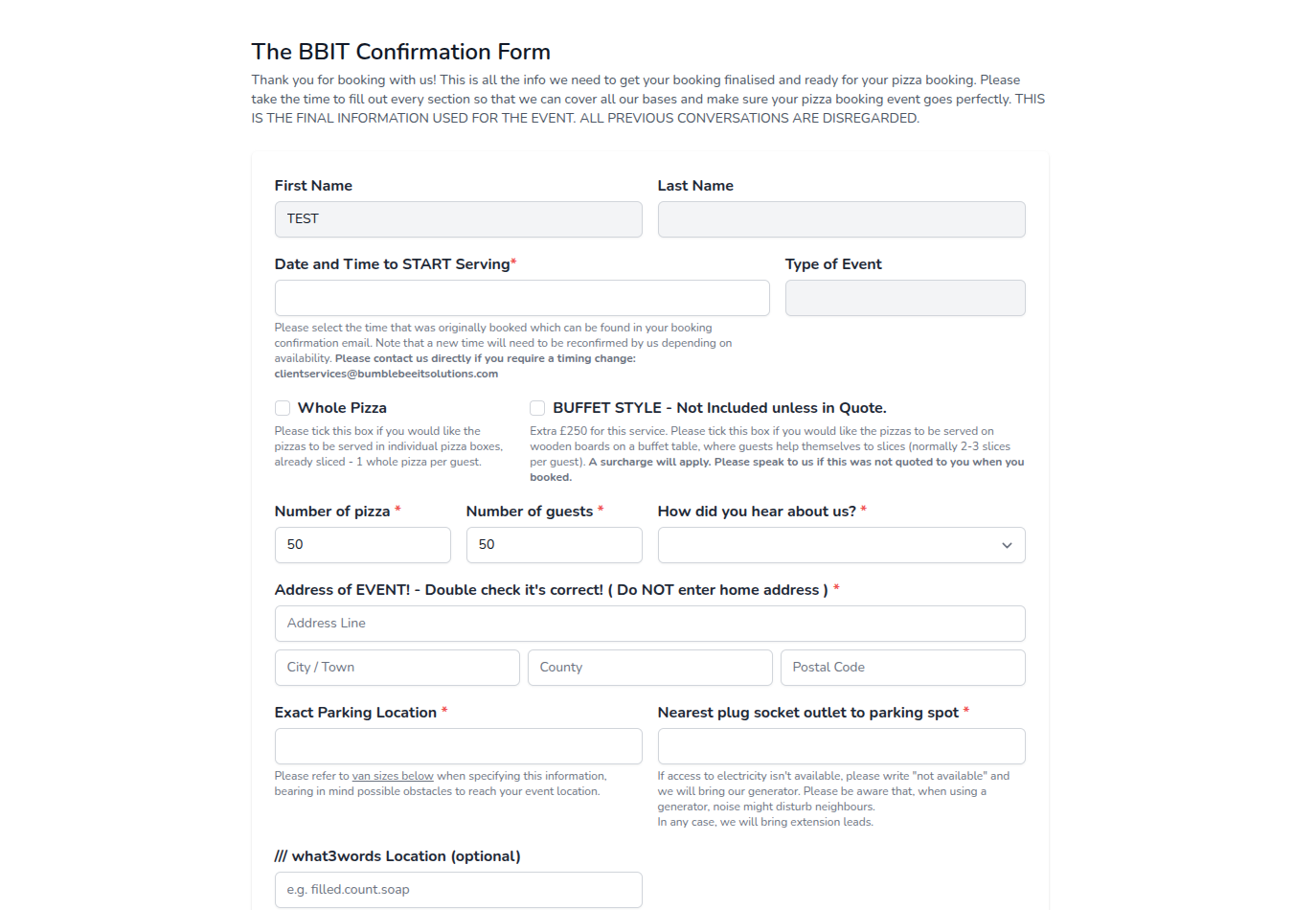
With the new forms on the CRM, client services sends a link to the built-in forms in the booking confirmation email. The order details in the new Confirmation Forms are prefilled from the job file.
When the customer completes the form, the details filled in by the customer are copied to the job file on the CRM. Some details are flegged to the Client Services but not taken directly to the job file - so they can be arranged.
On the form completion, both the customer and the client services receive an email notifying them that the form has been completed. The email also contains a link to the completed form available for review at any time.
The new Confirmation Forms also furnish better validation rules, more suitable for business requirements. For example, we can verify that the number of salad selections is suitable for the number of guests confirmed for the event.
Outcomes:
 time saved
much smoother and more efficient workflow
The recent testimony from the staff actively using the forms:
I like that the form alerts me when the client has noted a higher/lower number of food items than was in the original booking—it acts as an alert for a possible upsell!
And I really appreciate the time-saving aspect of this form! So much better than doing all the "cut and paste" actions for the older forms. I can't tell you how much time it has saved me as I don't have to keep a tally on what I am not having to do, if you see what I mean!
- Client Services