
We’ve recently completed the project of transferring paper forms into the CRM. We’ve received from our customer the set of paper forms they used. These are completed by staff after each event they hold and submitted to their seniors. This included 3 forms: Event Report, Open Event Takings, and Damage Report Forms.
The digitalisation process of the forms included:
- Reviewing the current paper forms;
- Deciding which fields should be filled in by staff, and which fields the CRM can prefill automatically;
- Implementing digital forms;
- Iterating on the feedback from the CRM users
We took advantage of automation processes on the CRM. Once staff submits the forms, Client Services are notified of the new submission. Having all the forms available on the CRM for review and linked to each job allows staff to rate the quality of the event delivered and resolve any emerging issues efficiently.
Digital forms allow staff to see how the event went and if the customer would be happy to send the public event feedback. This is then triggered by the staff from the CRM sending a pre-filled feedback request email.
These are only just a few optimisation points to mention out of digitalising the forms. There are many more upsides!
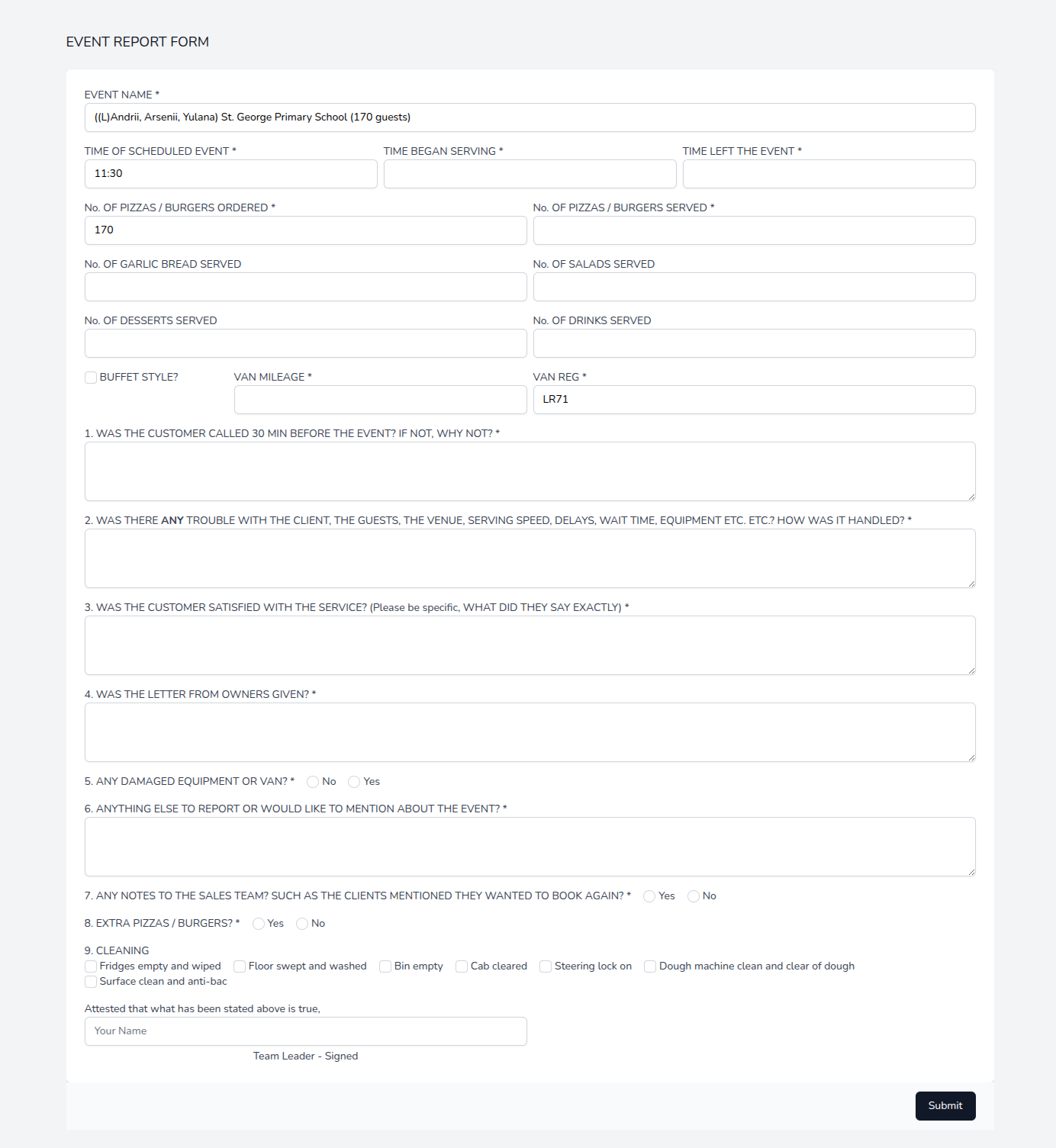
Event Report Form
Records general event information regarding the event details. It also records authorisation along with the digital signature for the upsell items during the event. The Event Report Form records if the customer expressed interest in a future booking, and this is notified to the salesperson.
Open Event Takings Report Form
Open Event Takings Report Form is specific to so-called open events with no pre-agreed number of items to server. This report records money flow. The Open Event Takings Report goes through the approval flow, after which the numbers on it are used for delivery statistics.
Damage Report Form
Our customer has a fleet. This can sometimes get damaged. We added Damage Report Forms to the CRM to easily track the damage caused and the resolution applied. This allows staff to easily see the vehicle issue history, any images related to the damage caused, and whether there are still some ongoing repairs or unresolved problems.
Since there are a few forms to complete after the event, the CRM decides which forms should be completed for each given event and takes the staff through the necessary form completion flow.
Read the success story from the CEO of the company using the CRM:
The Event Report Forms have been a really positive addition to the CRM and have definitely improved the way we manage events after completion.
Previously, with the reports being completed on paper, it was much harder to consistently collect the information, review it centrally and refer back to it later. Having everything completed directly within the CRM means the information is now much more accessible and useful to the wider team.
One of the biggest successes has been improved accountability and visibility across our events. We can quickly see things such as whether the customer was contacted before the event, what time service started, how many items were served, whether there were any problems at the event and, importantly, what feedback the customer gave the team on the day.
It has also allowed us to identify problems much faster.
Overall, moving the Event Reports into the CRM has made the process more organised, more transparent and much easier to manage at scale. As the number of events we operate continues to grow, having all of this information stored against the relevant job rather than sitting on pieces of paper has become increasingly valuable.
It has been a really successful implementation for us and is now an important part of our post-event process.
Thanks!
- company CEO